Open source · Local-first · Built by a practicing CPA
Drag in tax-software PDFs, Excel trial balances, scans and phone photos. Build one ordered, bookmarked binder; tick it, tape it and tie it out yourself, or let an agent prepare it while you review the same file.
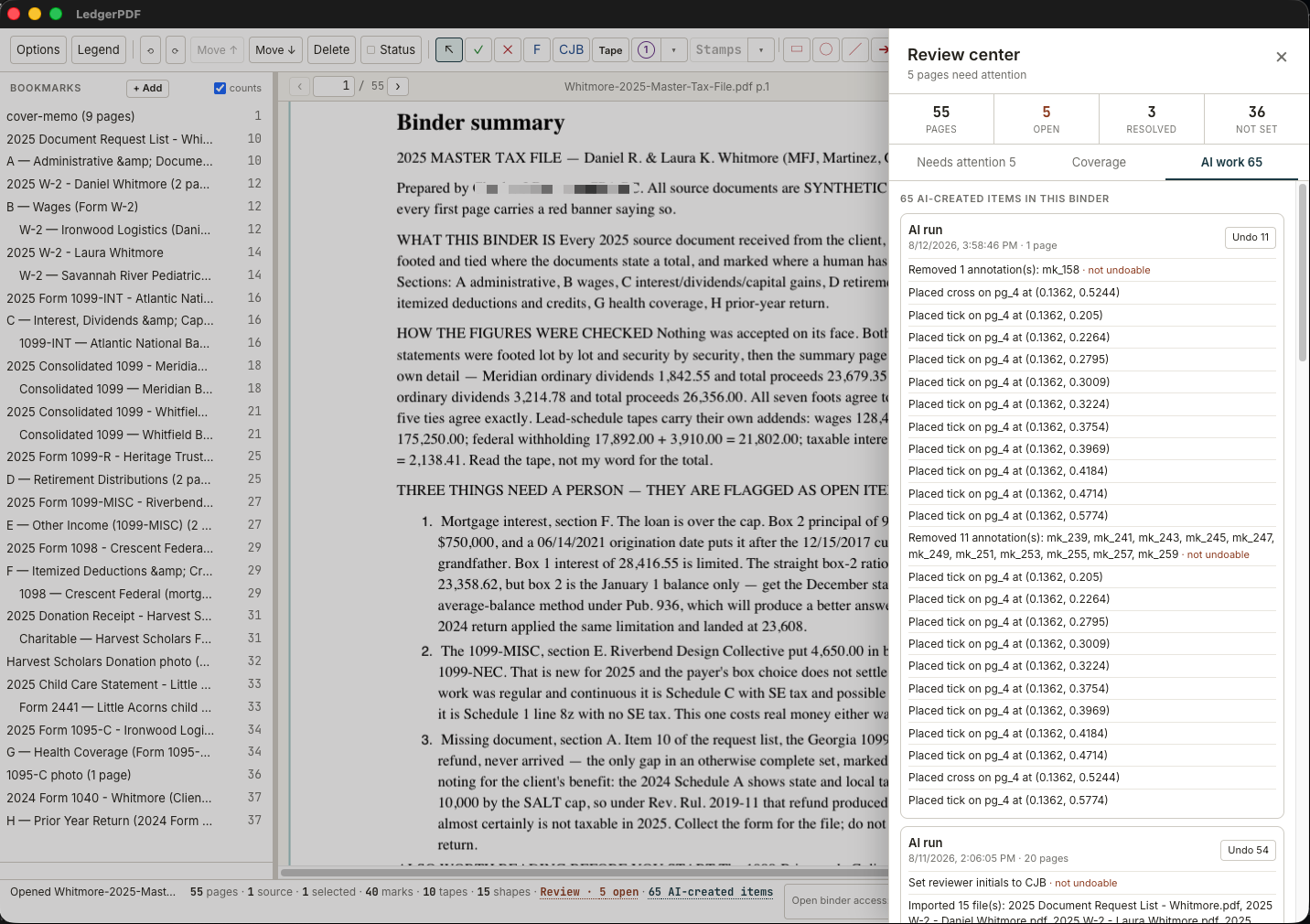
Clickable connector and binder-tie links now survive save, reopen and export. LedgerPDF remembers placement size by mark, adds an attributed date stamp that agents cannot backdate, and waits for the binder window to be ready instead of making live agent work appear hung.
Read the release notes →01 / Inside the app
These are screens from the released desktop application working through a fictional tax engagement. The source documents, names and figures are synthetic.
Bookmarks stay beside the document, thumbnails show page status and mark counts, and the center remains a familiar PDF—not a proprietary project view.
55 pages · organized in return order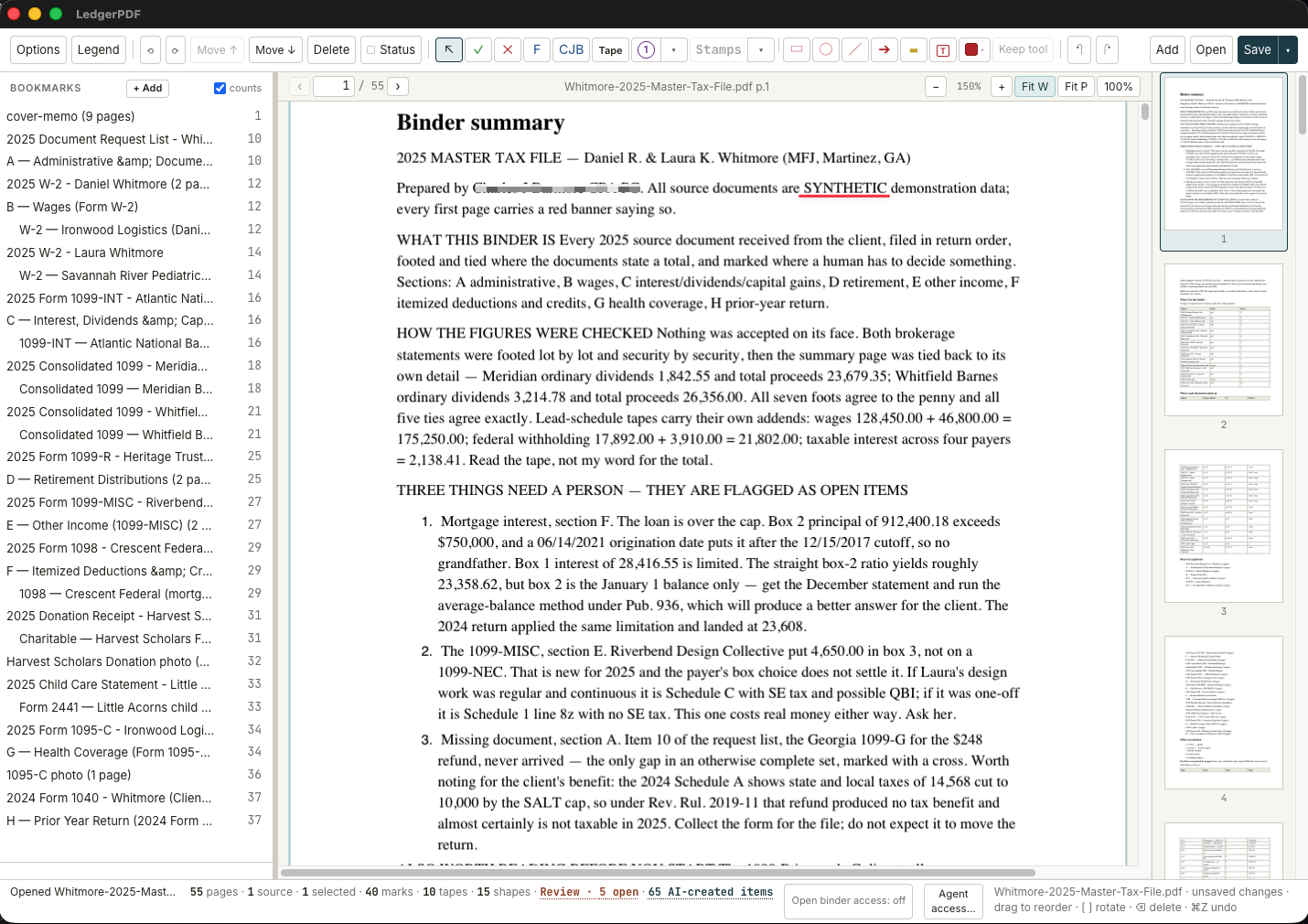
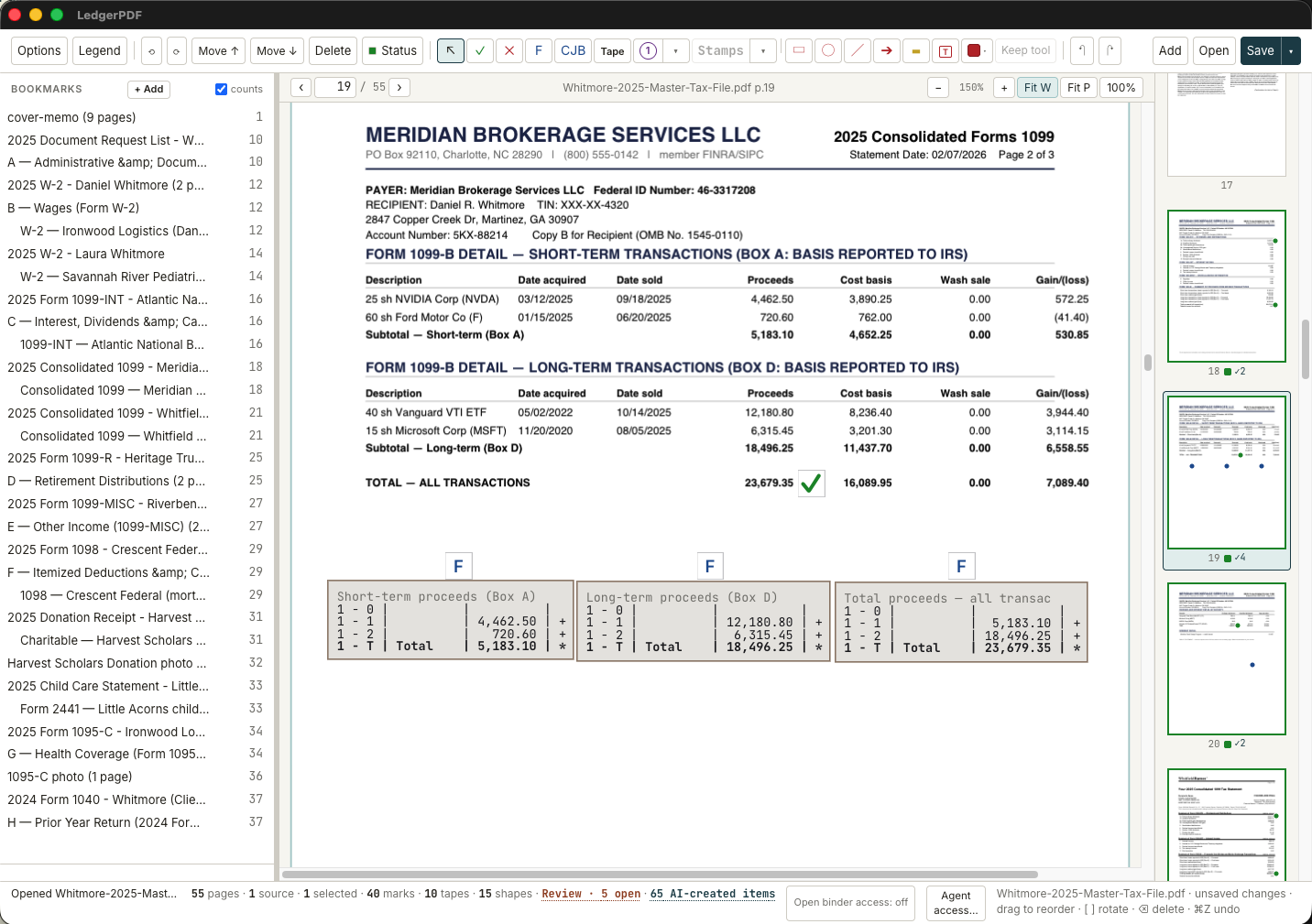
Foot a schedule, tick the result and leave the addends on the page. Calculator tapes preserve every entry, so a reviewer can see how the total was built.
Standard PDF marks · exact whole-cent mathPage status, crosses and notes make unresolved judgment visible in the binder and its thumbnail rail. Review Center gathers those open items into one queue with the page and supporting note beside it.
Open item · note attached · AI attributed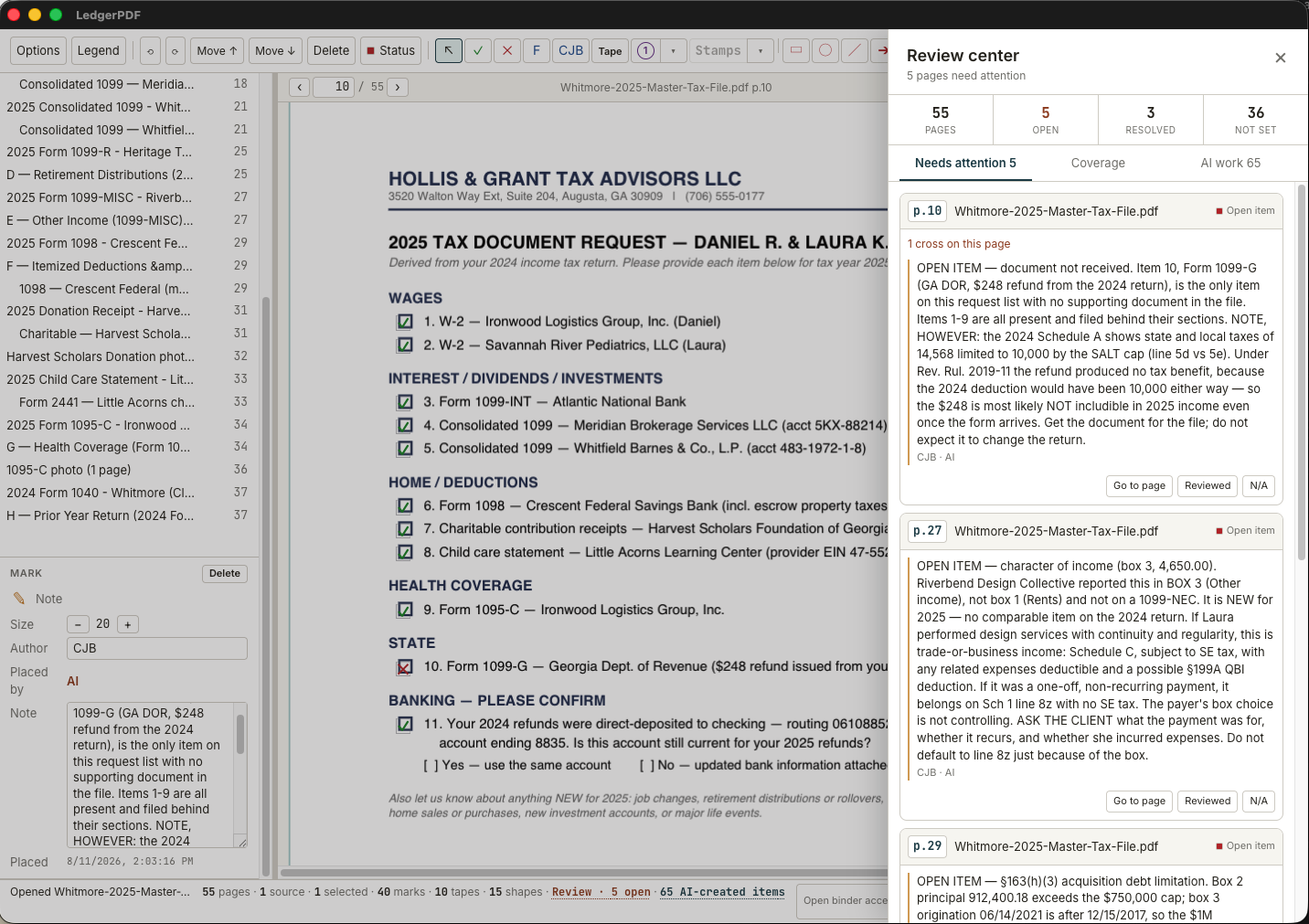
Actual LedgerPDF v0.2.1 screens · fictional Whitmore demonstration engagement · no real client information pictured
02 / Workflow
The binder PDF is the document. Save overwrites it; an editable session rides inside the file itself. There is no separate project file to keep track of.
Tick marks, stamps, tapes, shapes and notes export as standard PDF annotations and render in Acrobat, Edge, Chrome and macOS Preview. Every mark's position is pixel-verified in two independent render engines.
Reorder anything; the outline moves with it. Drag a bookmark and its whole section of pages moves. Imported outlines nest and retarget instead of breaking.
A ten-key adding machine on the page. Whole-cent arithmetic, never floating point, and a total always carries the entries behind it, so a reviewer sees the work, not just the answer.
PDFs, .xlsx / .csv, .md / .docx, and images. A spreadsheet becomes pages whose cells are real text, so a figure off a trial balance is read exactly rather than OCR'd and guessed.
On-device OCR gives agents eyes on photographed documents, labelled as a machine reading with per-word confidence, never presented as the document's own text. Built in on macOS. On Windows today it needs Tesseract installed alongside, and says so rather than guessing.
Send a copy with the marks printed on permanently for whoever needs it. The working binder, with its editable session, stays yours.
03 / Agents
Not a chat box bolted onto a GUI. Its MCP server uses the same binder engine as the app, so an agent works in the binder you have open and you can watch it happen.
04 / Your data
No claims here about what any of that means for your obligations. The regimes further down are raised because a tax or accounting professional will have to think about them, not because a PDF tool can settle them. Whether this application fits a given standard in your practice is your call, made against your own policies.
LedgerPDF itself does not send it. If you connect an AI client, that separate program can receive page content and send it wherever you configure it to. A client using only a local model can keep processing on the machine; a hosted model generally does not. Review the provider, consent requirements and your firm's policies before enabling agent access.
Depending on the engagement, consider IRC §7216 and §6713, the FTC Safeguards Rule and your WISP, Circular 230, the AICPA Code, state rules and your engagement terms. LedgerPDF makes no compliance determination. Its storage, agent-disclosure boundaries and known limits are documented in DATA-FLOW.md and its security policy so your firm or IT reviewer can evaluate the facts.
05 / Download
LedgerPDF v0.3.0 is available now, free and open source under GPL-3.0, published by Ledger Labs LLC. It is alpha software: expect rough edges, keep another copy of engagement records, and use the newest release for security updates.
Windows 10 or 11, x64. Per-user installer; no administrator access needed. Not code-signed yet, so SmartScreen may appear.
Download v0.3.0 .exeApple silicon build, signed with a Ledger Labs LLC Developer ID, notarized by Apple and stapled.
Download v0.3.0 .dmgRead what changed, download the signed macOS ZIP, or verify any installer against its published SHA-256 checksum.
View v0.3.0 releaseBefore installing: verify the release against the published SHA-256 checksums. macOS should open without an unidentified-developer warning. Windows builds are currently unsigned and may trigger SmartScreen; that is a reputation warning, not proof of either harm or safety. Read the Windows installation guide before deciding whether to proceed. A signed macOS ZIP is also available on the release page, and the public source remains available for inspection or local builds.
